
How can I import 2-D geometries? 回答済み

Hi all guys here,
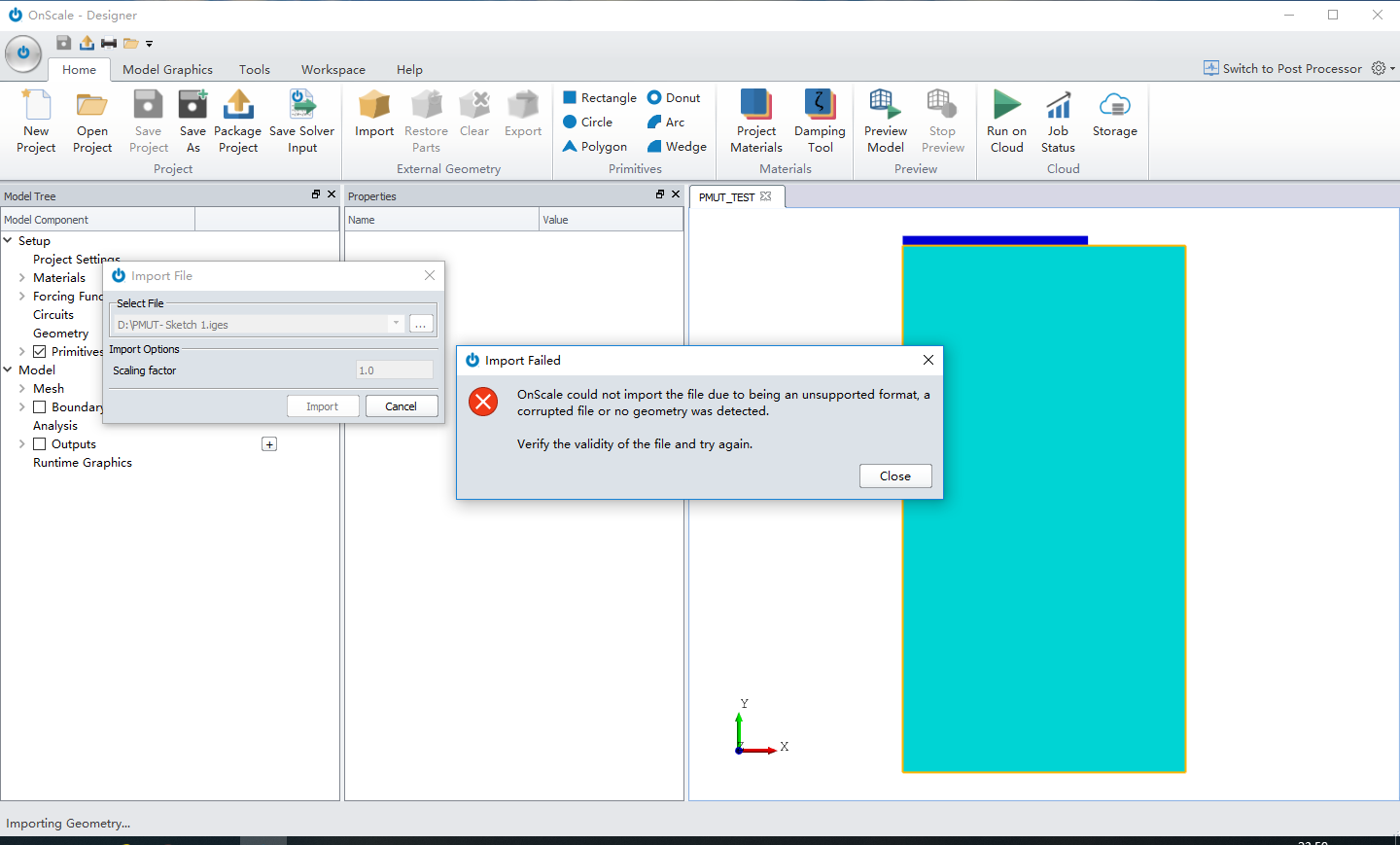
Recently I ran into a problem when I import the 2-D geometry exported by AutoCAD (.iges or .igs), the error is as follows:
which says:
OnScale could not import the file due to being an unsupported format, a corrupted file or no geometry was detected.
I wonder what the normal process to import the 2-D geometry is. For me I'm now using OnShape to skech the geometries and translate it from .dwg into .iges, however it seems not working. : (
Thanks for helping me!
3件のコメント
Hi there,
It could be that the conversion is not working properly, have you tried using OnShape to output into a different format like *.step?
Could you send your *.iges file across to us and we can look at this for you. Also please include what version you are using in your email.
Also worth mentioning, we have *.dxf support on our roadmap.
Best Regards,
Chloe.
Hi Chloe,
I have cross-checked it in another software (Vectorworks) and it can be imported correctly, however still not work in OnScale. Just to add some explaination: 2-D sketch in the OnShape can only be exported as .dwg or .dxf, so I need to translate it using other software.
So I sent the email with .dxf and .iges files attached. If there's any mistake, let me know, thank you very much!
Best Regards,
Leming.
For future reference to anyone viewing this forum post, Leming's CAD file was defined using edges only, for OnScale 2D models must have at least 1 face to load into OnScale.
Chloe.
サインインしてコメントを残してください。
お探しのものを見つけられませんでしたか?
新規投稿